Vintage Paper Texture

Create a vintage poster from your idea

Make a promotion for your café, shop or event. Add your message, choose a vintage look and let AI design the artwork and text together. Prefer to change the words later? Choose editable text.

Design mode

AI designs artwork and lettering together. Text changes need a new generation.

Poster content

Fill an example:
Add a reference photo (optional)

PNG, JPG or WebP, up to 15 MB. Use a photo to reference your product or person.

Choose a style

New accounts get 10 credits for one free try. Sign in when you generate.

Each successful AI generation uses 10 credits. Exports are free.

Draft & credits

This browser automatically keeps your draft for up to 24 hours.

See one-time generation packs

The idea board

A starting point for your next announcement

Choose a brief below to fill in the words, visual direction and style. No photo needed. Adapt the details to your business before generating.

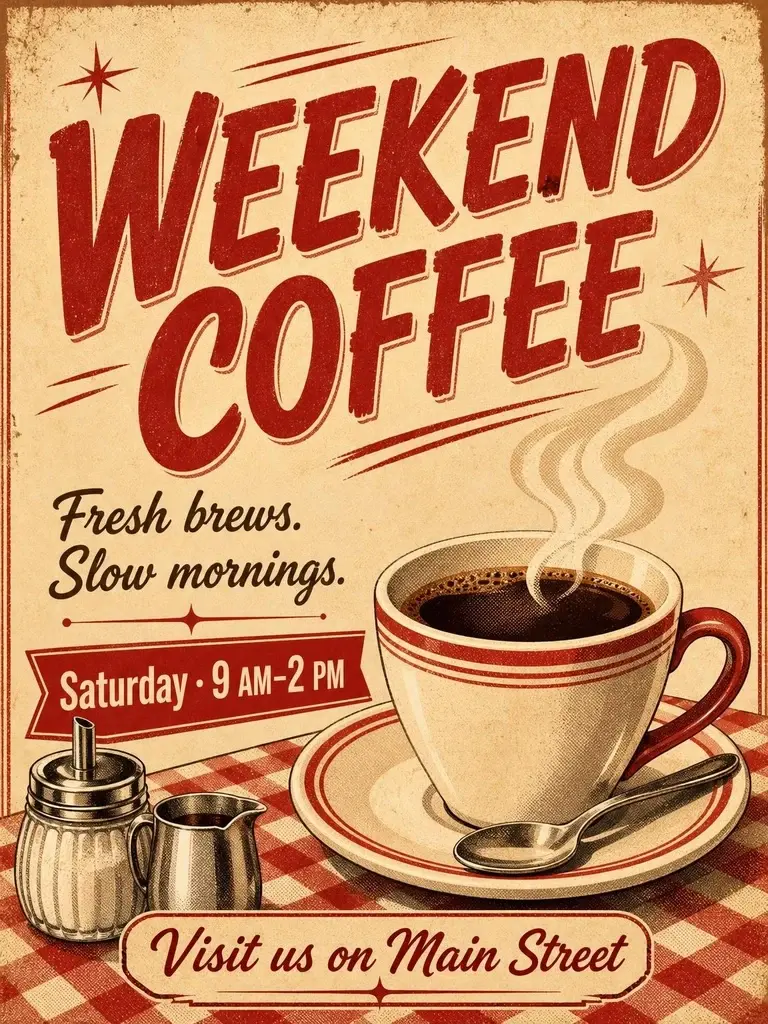
Weekend coffee poster with a steaming cup, red diner illustration and promotional text
1950s DinerActual example · AI-designed artwork and lettering

01 / Cafés & food shops

A café special worth stopping for

Lead with one special: a new drink, a weekend breakfast or a tasting. Add the time and a simple invitation. A product photo helps when the exact item matters.

A steaming cup of coffee on a cozy café table
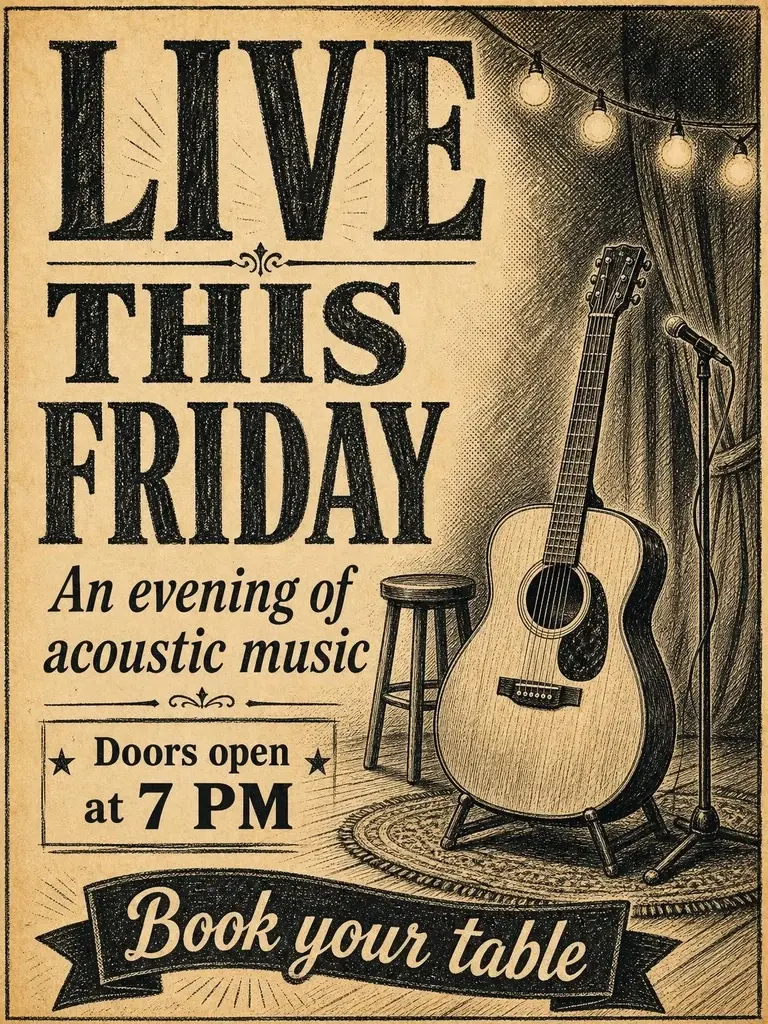
Friday live music poster with an acoustic guitar, newspaper illustration and event details
Old NewspaperActual example · AI-designed artwork and lettering

02 / Music & local events

Give your next event a clear invitation

Make the occasion the headline. Keep the date, time and booking information together. Without a photo, describe an instrument, setting or atmosphere to guide the artwork.

An acoustic guitar on a small stage with warm lights

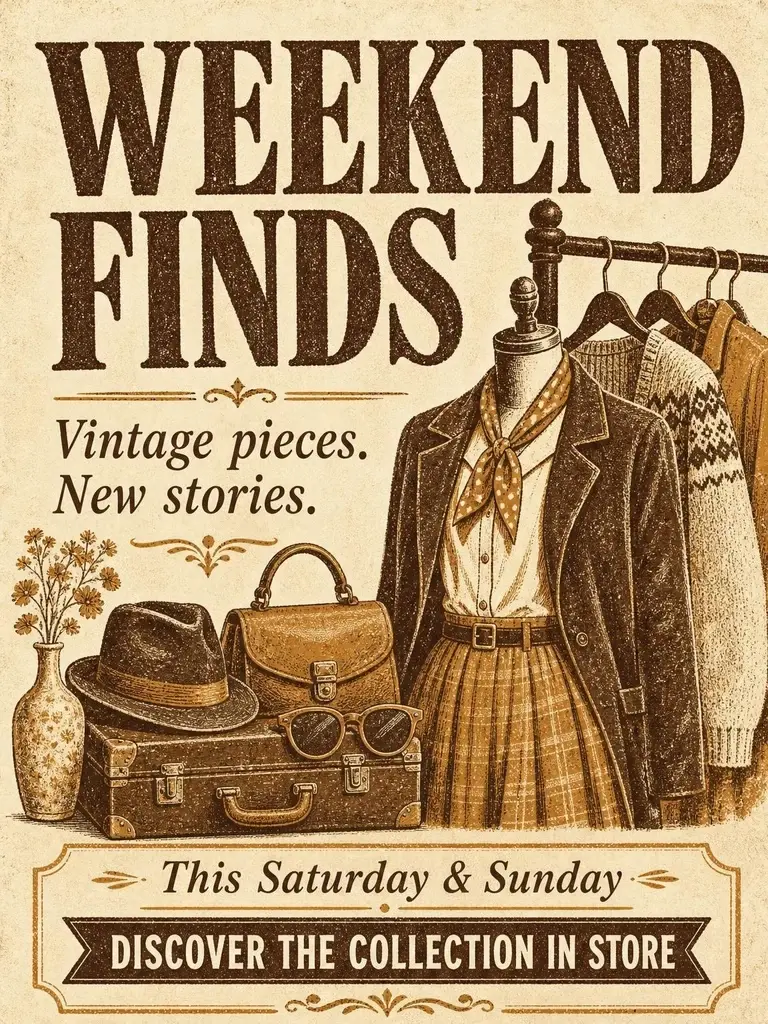
Weekend finds poster with vintage clothing, ochre letterpress illustration and store invitation
LetterpressActual example · AI-designed artwork and lettering

03 / Independent shops & creators

Make a small collection feel like a discovery

Pick one theme for your sale or launch. Describe the products you want to evoke, then replace the sample dates and invitation. Use your own photo for a specific product.

A curated display of vintage clothing and accessories

From your idea to a finished poster

Choose a complete AI design or artwork with editable text.

  1. 1

    Add your message, with or without a photo

    Start with a headline and your event or promotion details. Describe the artwork you want, or add a reference photo; both are optional.

  2. 2

    Choose the style and how text is designed

    Pick Diner, Newspaper or Letterpress. AI can design the whole poster, or create artwork for editable text. Each successful generation uses 10 credits.

  3. 3

    Review and export

    Check the finished design and download PNG or JPG. In editable mode, adjust your text layers first.

Find the right tone

Three ways to tell a vintage story

The style shapes the illustration, ink palette and paper feel. AI designs the lettering too in complete mode; editable mode lets you arrange the words yourself.

011950s Diner

Warm cream, red ink and halftone

Try it for café specials, food promotions and upbeat launches.

Use a short, bold headline and one clear subject. In the visual direction, describe the drink, dish or object that should take centre stage.

02Old Newspaper

Charcoal ink, newsprint and fine lines

Try it for live events, announcements and editorial-style posts.

Give the headline priority and group practical details together. Put dates and prices in their text fields; choose editable mode if they change often.

03Letterpress

Ochre, soft paper and worn ink edges

Try it for makers’ markets, boutique collections and handmade goods.

Leave generous space around the subject. A restrained palette and a compact call to action can help the whole poster feel deliberate.

Three small edits that make a poster easier to read

  1. 1

    One poster, one main message

    Give the headline one job: announce the event, offer or product. Put supporting information in the subtitle instead of making every line compete.

  2. 2

    Separate words from artwork

    Use visual direction for the scene, objects and mood. Put prices, dates and addresses in their text fields. Complete mode renders them in the image; editable mode keeps them as separate layers.

  3. 3

    Check it at phone size

    Check text contrast and spelling at phone size. Adjust layers in editable mode, or update your brief and regenerate a complete AI poster if needed.

Ready to share

Finish the details before you download

Exports are free in both modes. Text changes are free in editable mode; a new complete AI design uses 10 credits. Keep a downloaded copy of the finished poster.

PNG

Keep a crisp copy of the finished design

Use the lossless export when text edges and repeated reuse matter.

JPG

A convenient copy for everyday sharing

Use it for image uploads where a smaller file is useful. Check the result after any platform compression.

AI posters currently target 1152 × 1536 pixels in portrait format. Exports use the actual background resolution. Check physical size with your printer; this tool does not add bleed, CMYK profiles or print-ready PDF output.

A quick publishing check

  • Replace the example dates, prices and address with your own.
  • Check spelling, text contrast and whether any AI-generated product details have changed.
  • Keep the main message away from edges that a social platform may crop.
Back to my poster

Frequently asked questions

Need help? Contact support@papertexture.io.

1

Can I try it for free?

New accounts get 10 credits for one AI generation. Manual editing and exports are free, with no account required.

2

Do I need a photo to get started?

No. Add your headline and choose a style to create artwork from scratch. A subtitle or visual direction helps the AI understand the subject. Upload a photo only when you want to use a specific product or person.

3

Can I change the text after generation?

In complete AI mode, lettering is part of the image: update your message and generate again to change it. In editable mode, the words are separate layers and changes are free.

4

Is this a print-ready PDF tool?

This version exports PNG and JPG at the background image resolution. It does not export PDF or set print dimensions, bleed or colour profiles.

5

Will the AI preserve my product exactly?

We ask the model to preserve the subject, but details can change. Review the result before using it to advertise a real product.

6

Can I keep working after signing in?

The studio keeps a local working draft in this browser for up to 24 hours, including your photo and generated poster. This is not cloud storage.

7

Will AI render every word correctly?

We ask AI to preserve the exact wording, but spelling, numbers and small text can still be wrong. Check the result before sharing; use editable text when exact changes are essential.